Find Correlation
find_correlation
find_correlation.py is the main script used to find correlations between ram states and variables.
It incorporates the following parameters:
-g / –game GAME : The game to evaluate (e.g. ‘Pong’)
-to / –tracked_objects TRACKED_OBJECTS : A list of objects to track
-tp / –tracked_properties TRACKED_PROPERTIES : A list of properties to track for each object
-tn / –top_n TOP_N : The top n value to be kept in the correlation matrix
-ns / –nb_samples NB_SAMPLES : The number of samples to use.
-dqn / –dqn If provided, uses the DQN agent
-s / –seed SEED : Seed to make everything deterministic
-r / –render : If provided, renders
-m /–method {pearson,spearman,kendall} : The method to use for computing the correlation
-snap / –snapshot STATE_PATH : Path to an emulator state snapshot to start from.
Finding the correlation coefficient
The scripts first computes correlations and displays the matrix of the top_n(default 3) coefficients, per object properties:
If you call:
python3 scripts/find_correlation.py -g Pong -to Player Enemy -tp y
The scripts runs the game and checked in nb_samples: if all tracked_objects are present, it saves the tracked_properties of all tracked_objects, as well as the ram state.
It will then compute a correlation matrix (using method, by default pearson).
For you to recall:
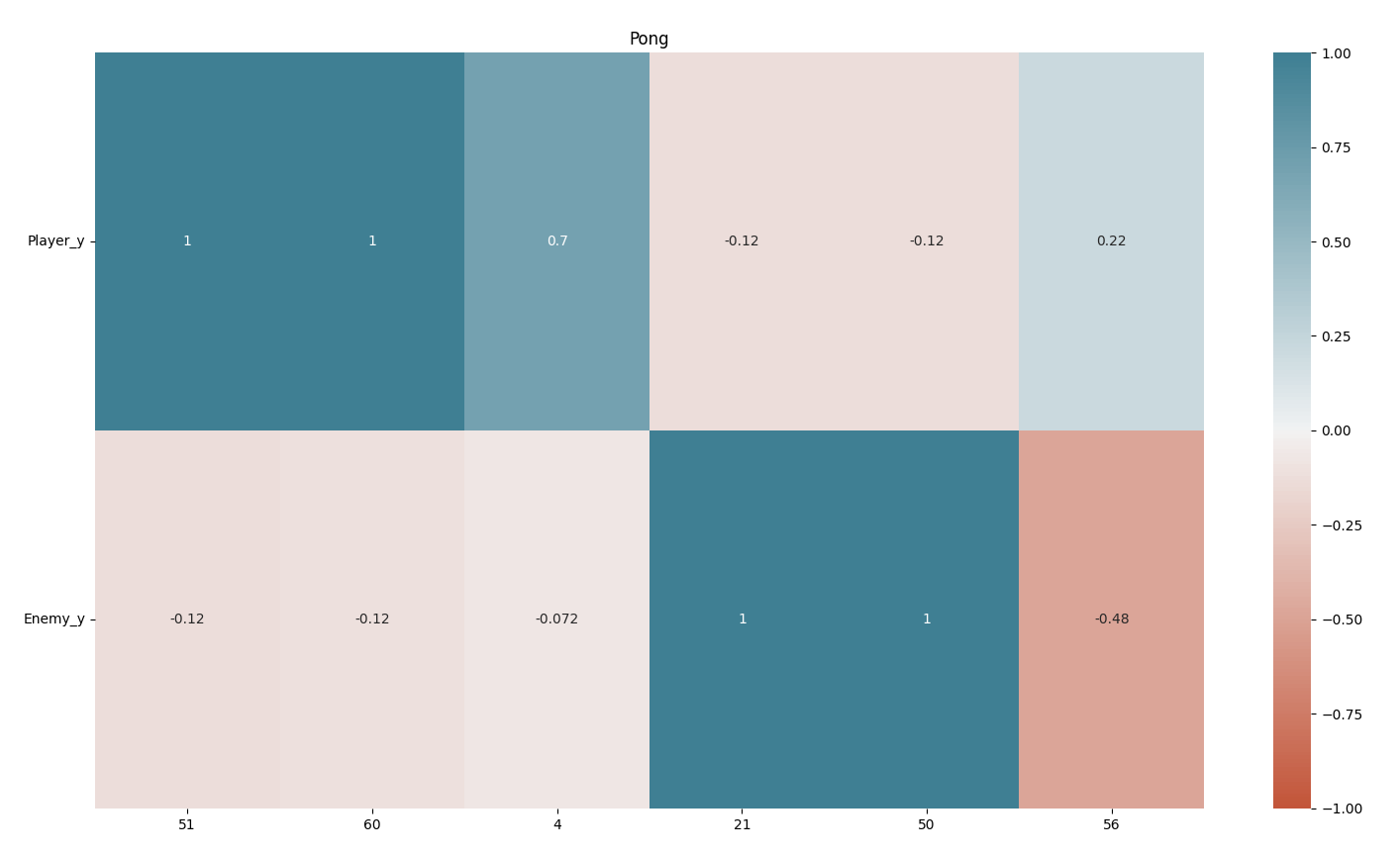
It then plots the correlation matrix:
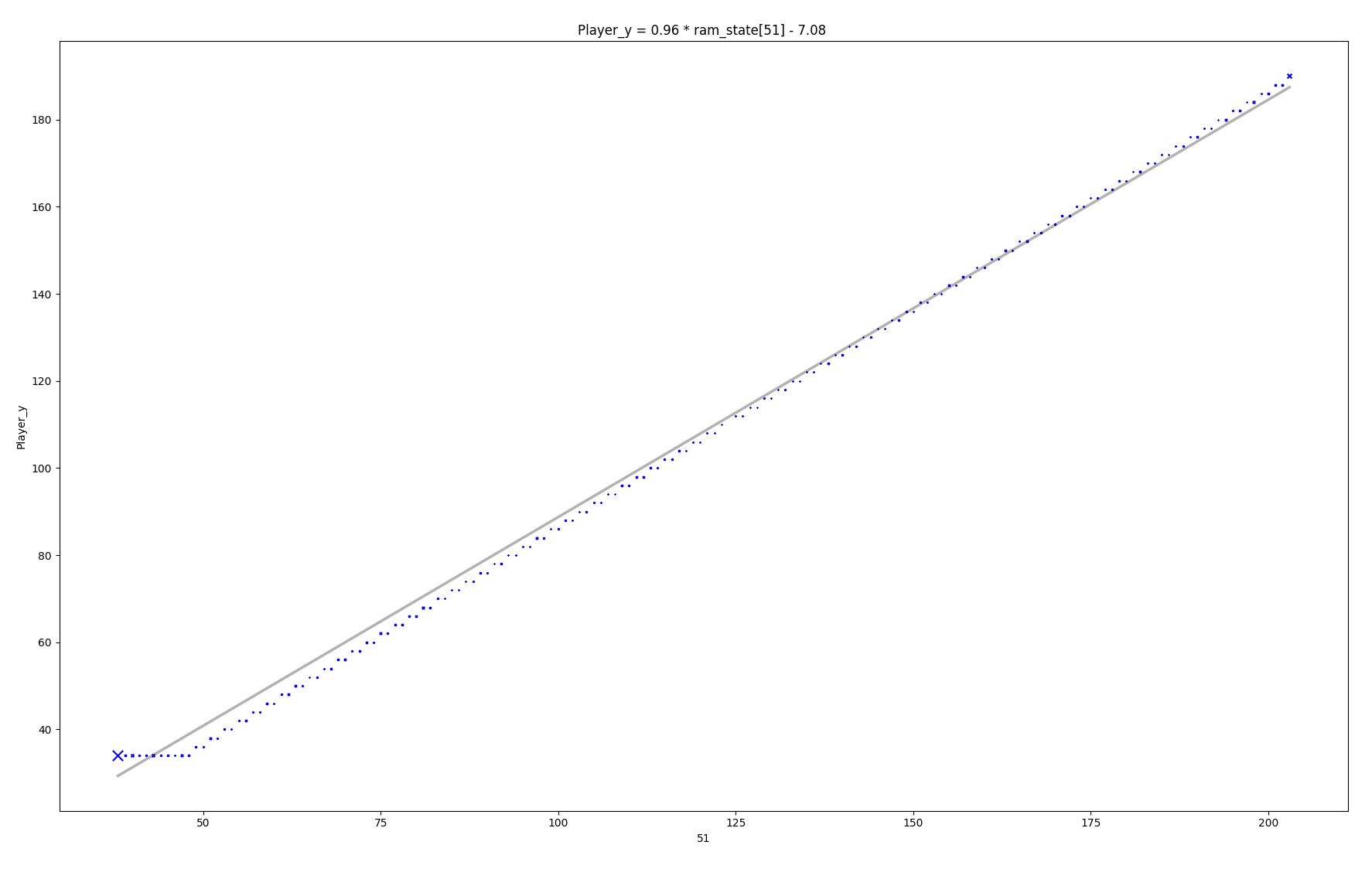
Then, it iterates a correlation onto the kept objects and properties, computes a ransac regression, print it and displays the following result: